




Description

Run every Dubsado build from one Notion workspace
Quotes, onboarding, the workflow map, content, client review, tasks, and handoff all happen in one connected Notion workspace.
Buildsado for Notion is the Notion Dubsado workflow builder I rebuilt from the system I run my own setup business on. You quote the project, map the build, collect what your client sends, work through every task, and hand it off from the same workspace.
Finish every build without hunting for a file
Every Dubsado build gets entered by hand, and it stops each time a piece is missing:
- Which photo did they want in their email signature?
- Where is the doc with the onboarding email copy?
- Did the client approve that subject line, or just comment on it?
- Which form goes with which workflow?
Dubsado can’t copy workflows, emails, packages, or payment plans between accounts, so all of it has to be ready when you sit down to build. For years I sold the pieces separately: the Google Sheets Workflow Builder, the onboarding and implementation questionnaires, the ClickUp board, and the pricing kit. Each one works on its own, but you copy information from one to the next. Buildsado for Notion connects all of them in one workspace.

Find everything without stopping the build
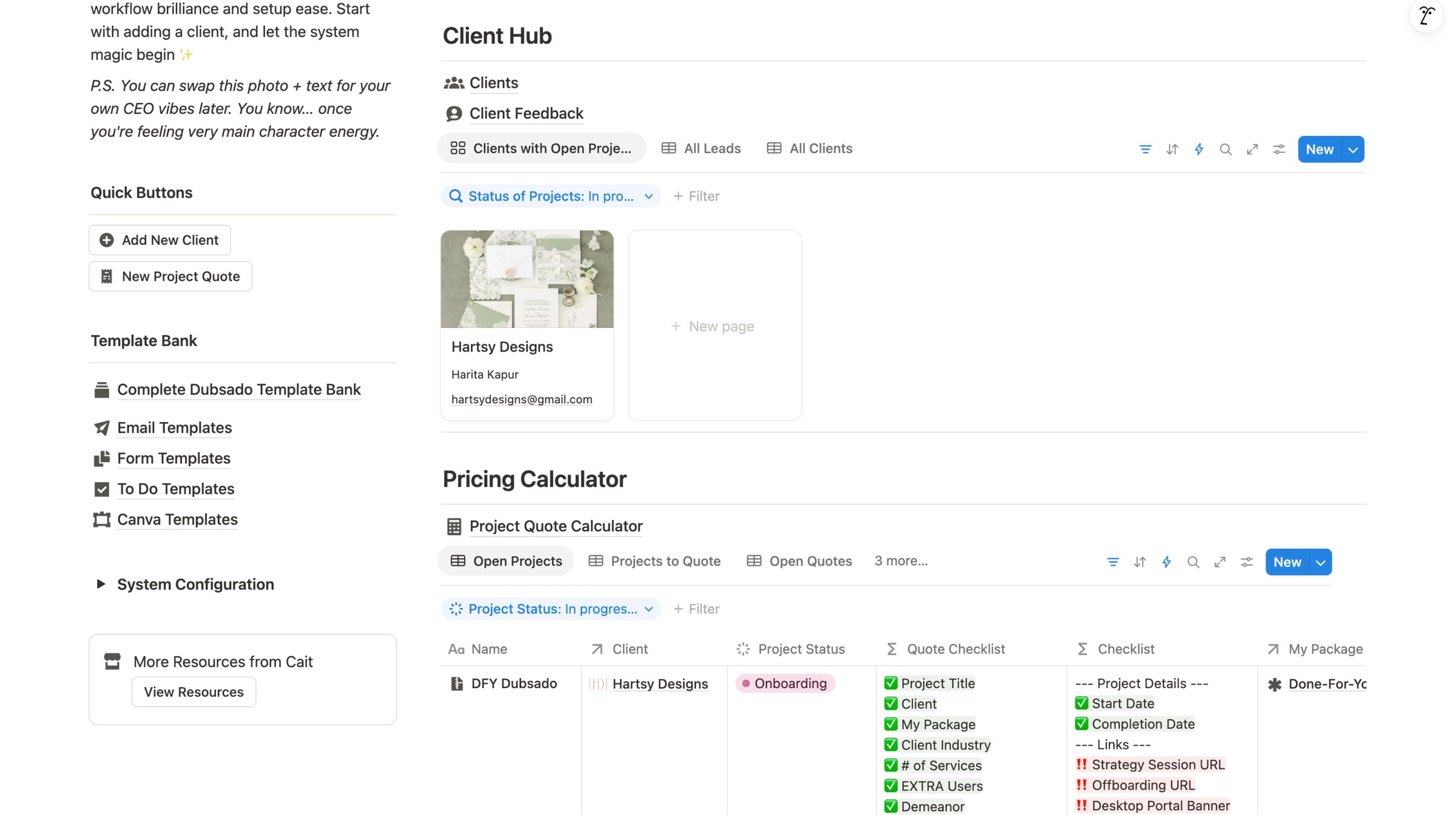
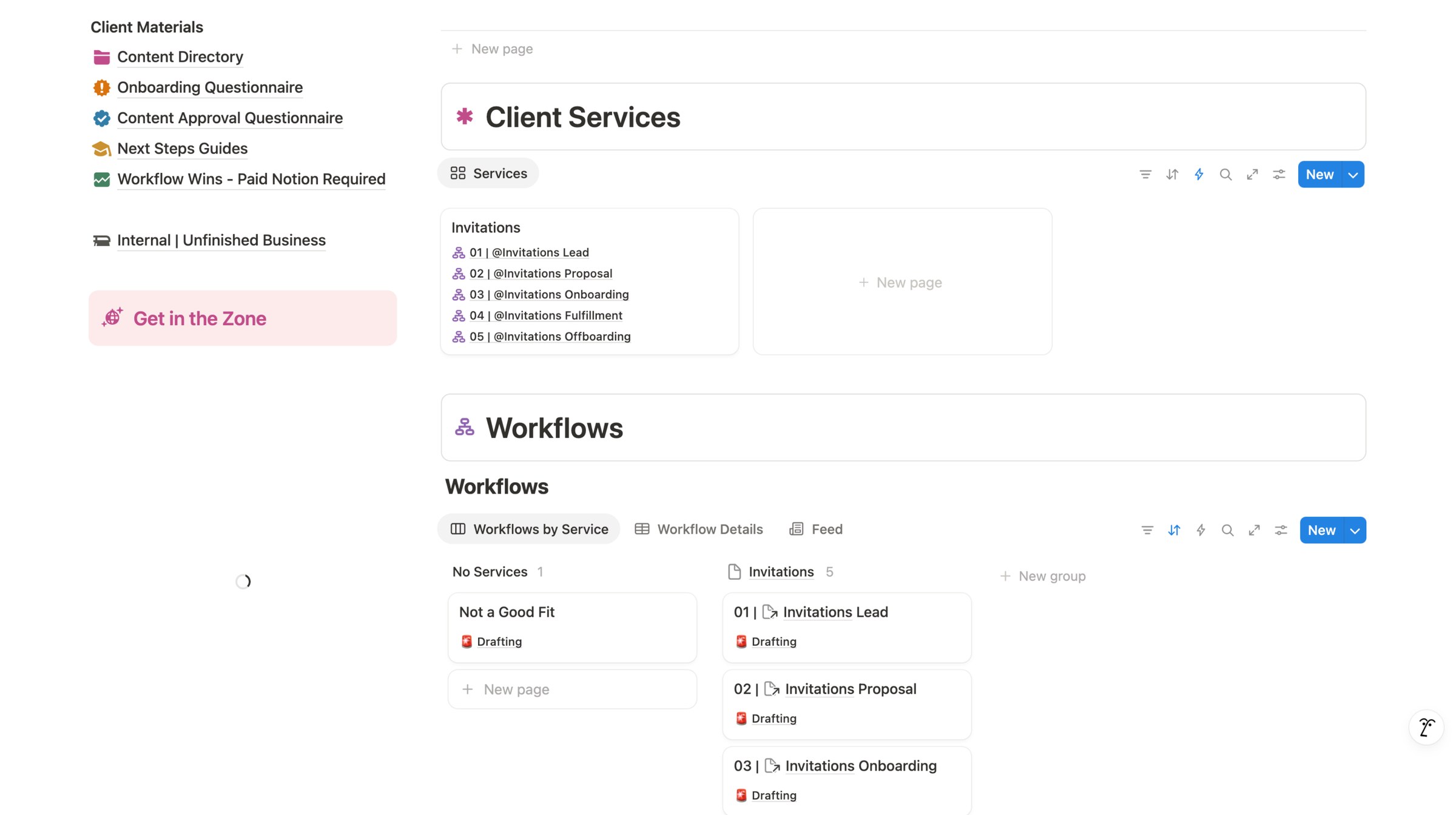
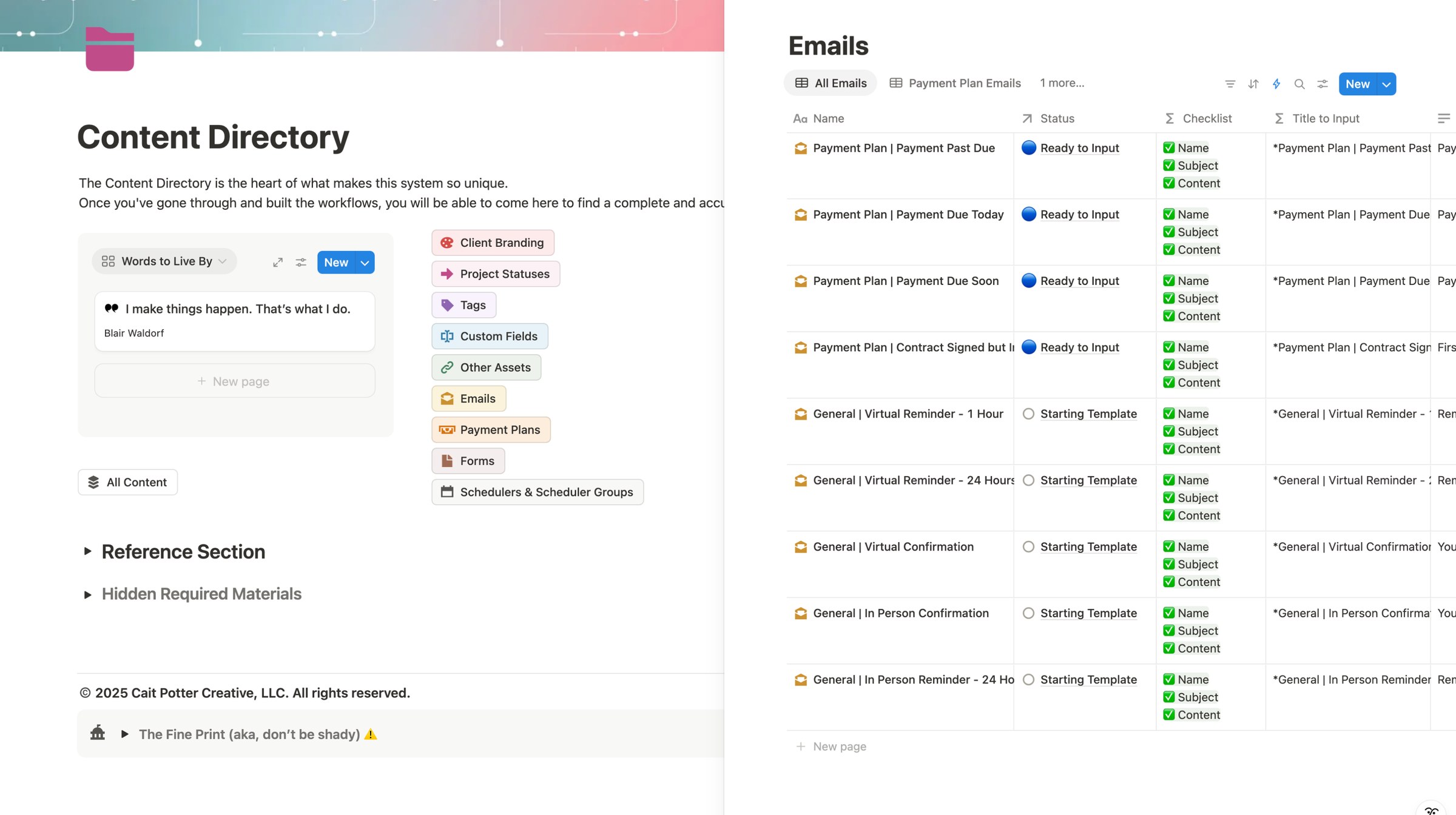
Your client’s onboarding answers fill in their services, and each new service starts with five workflows: lead, proposal, onboarding, booked, and offboarding. Every step you map links to the email, form, or scheduler it needs, and the Content Directory lists everything the build needs.

Workflows
Stages of the client experience
Each workflow covers one stage of a service and records what starts it: a form, a scheduler, another workflow, or a Zap.
Steps
Each step, in order
Each step has its Dubsado action, timing, and trigger, plus a checklist of the details it still needs.
Assets
What each step needs
The Content Directory lists every email, form, scheduler, payment plan, project status, tag, and custom field in the build, with a status on each one.
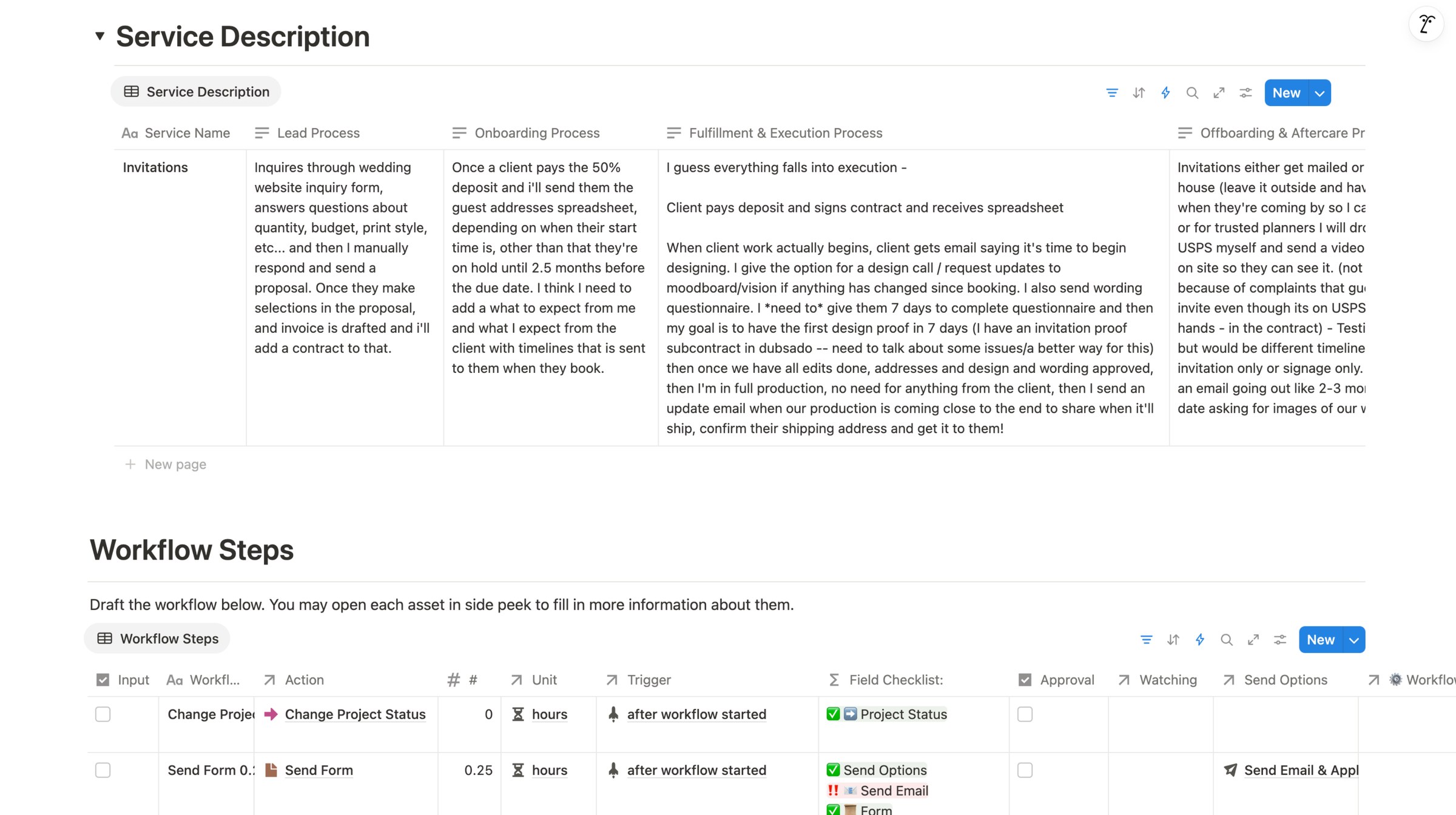
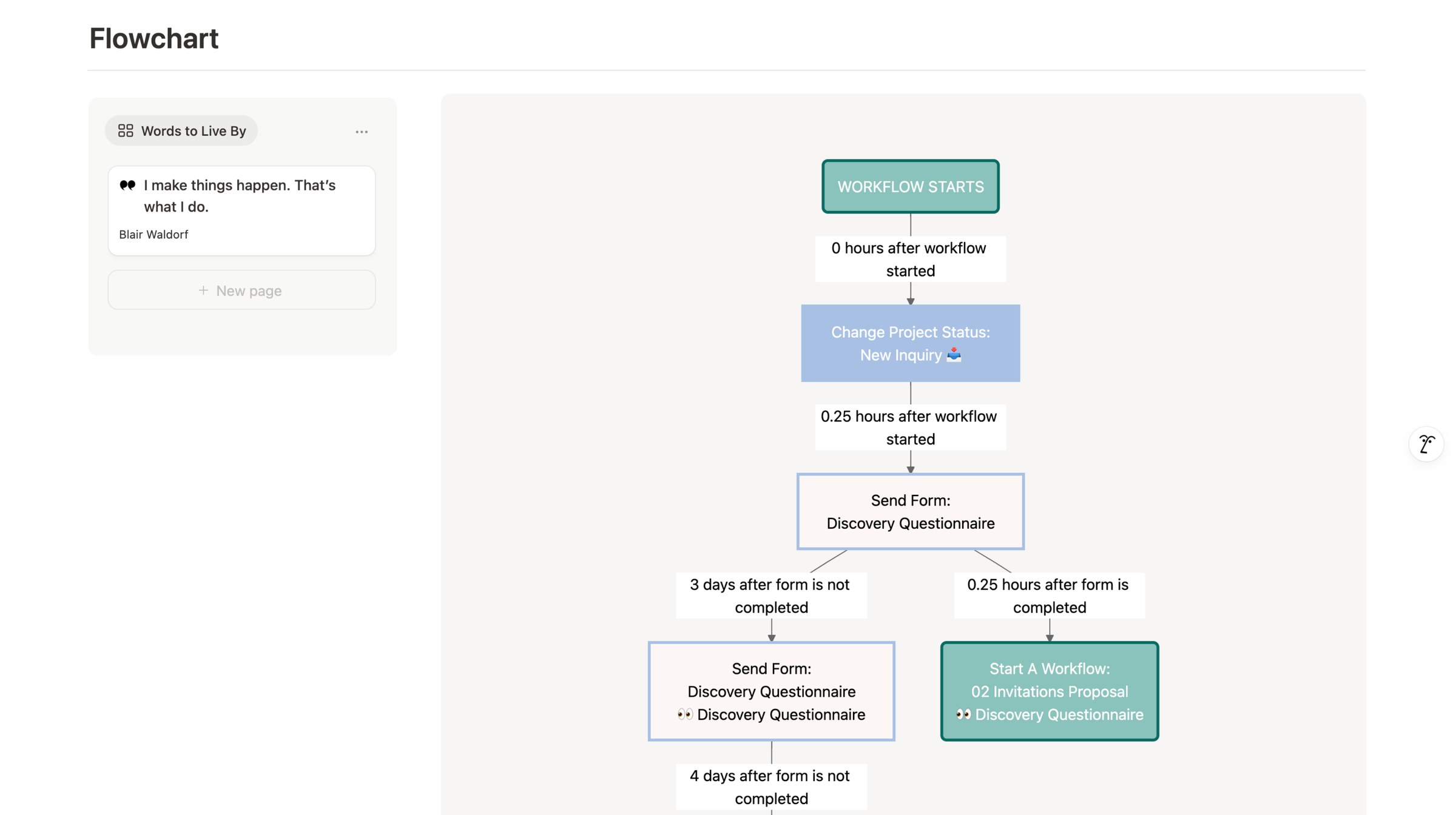
You map payment plans the same way, with each installment and its reminder emails, and every workflow page has a flowchart of the steps you mapped.
Clients get pages they can follow
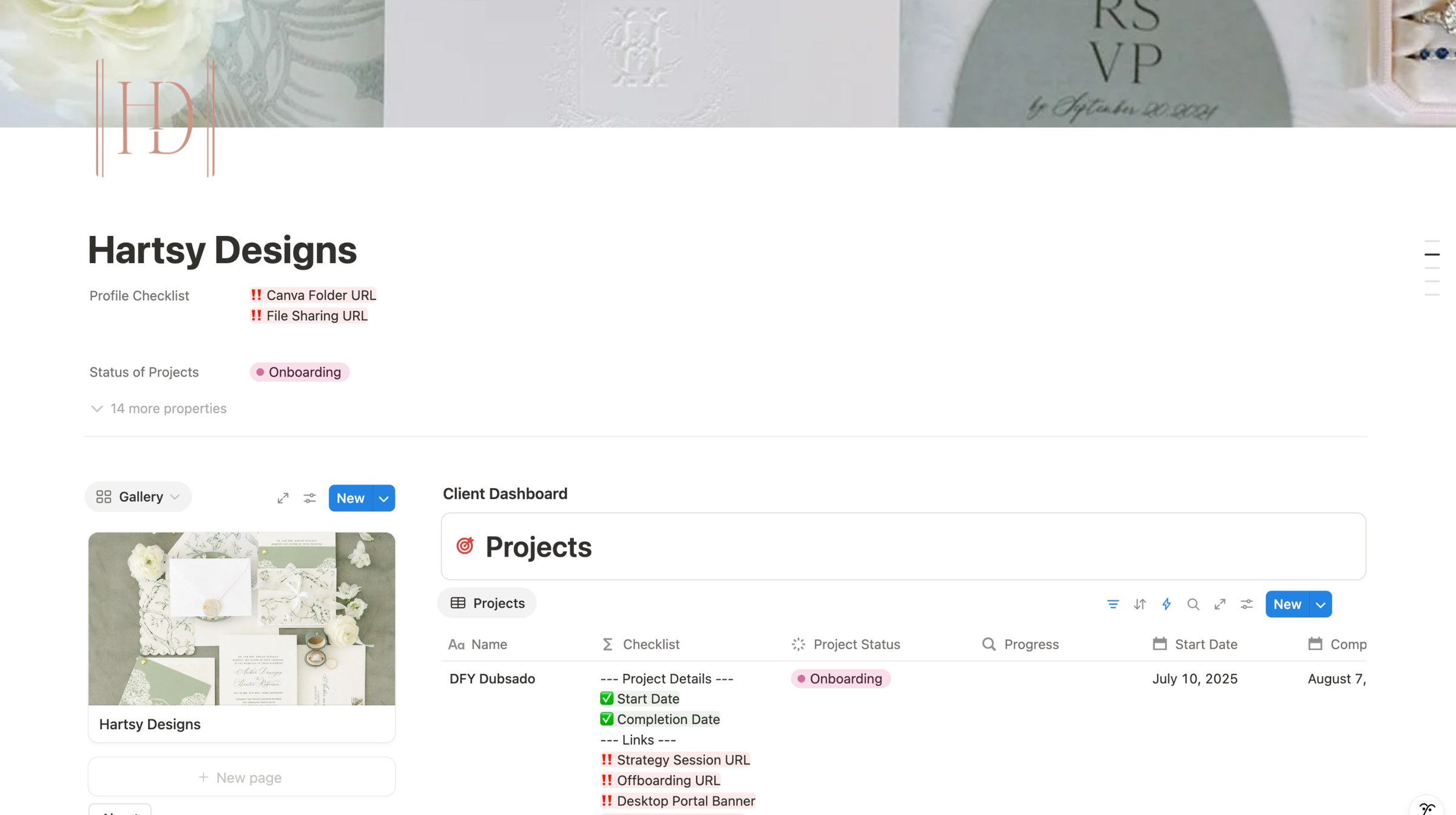
You share a Notion page with your client for each stage, and they never see your internal projects or tasks.
Onboarding, in order
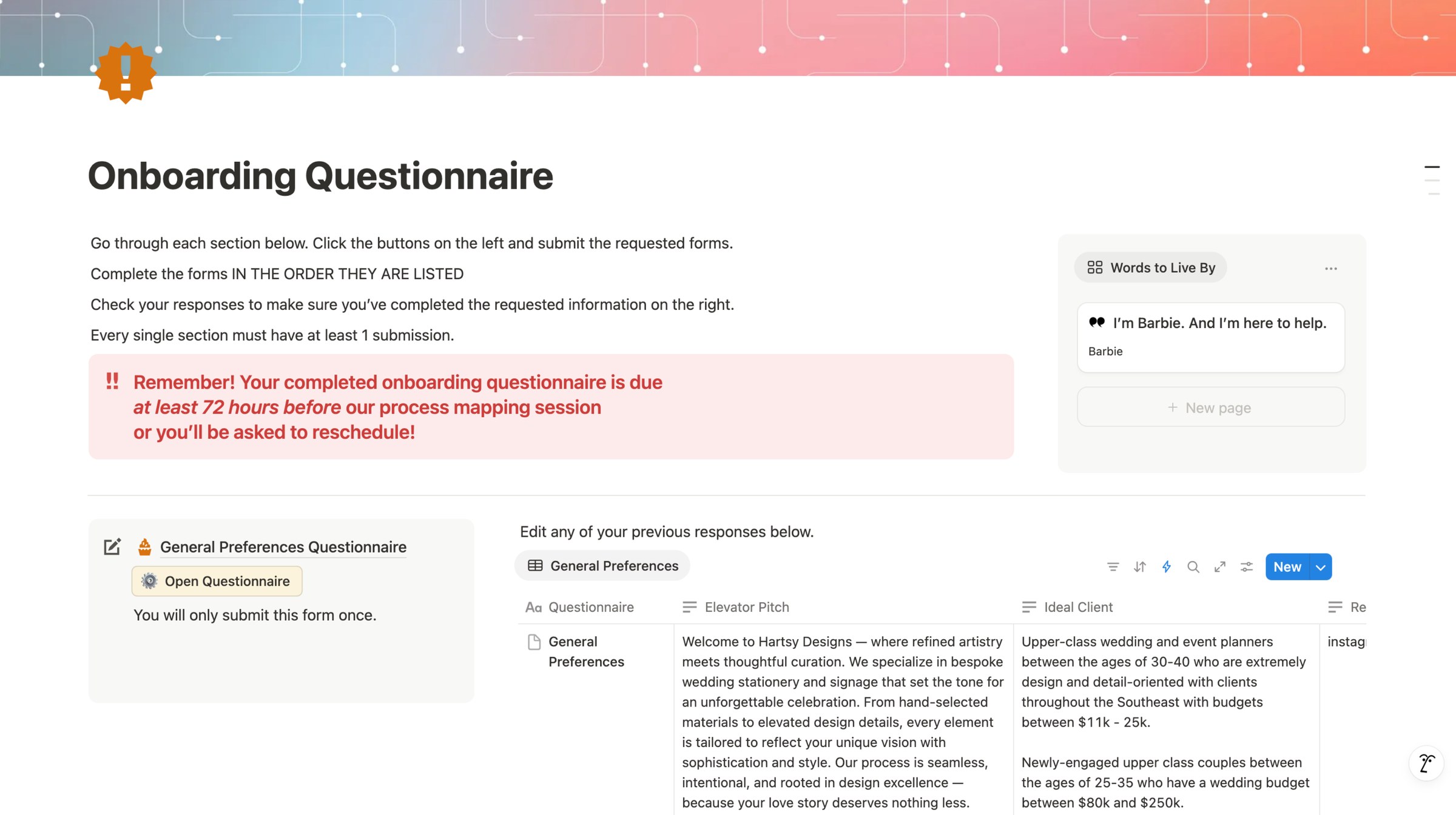
Your client fills in the Onboarding Questionnaire one section at a time, from branding and team to packages and services. It’s due 72 hours before your Process Mapping Session.
Content they approve
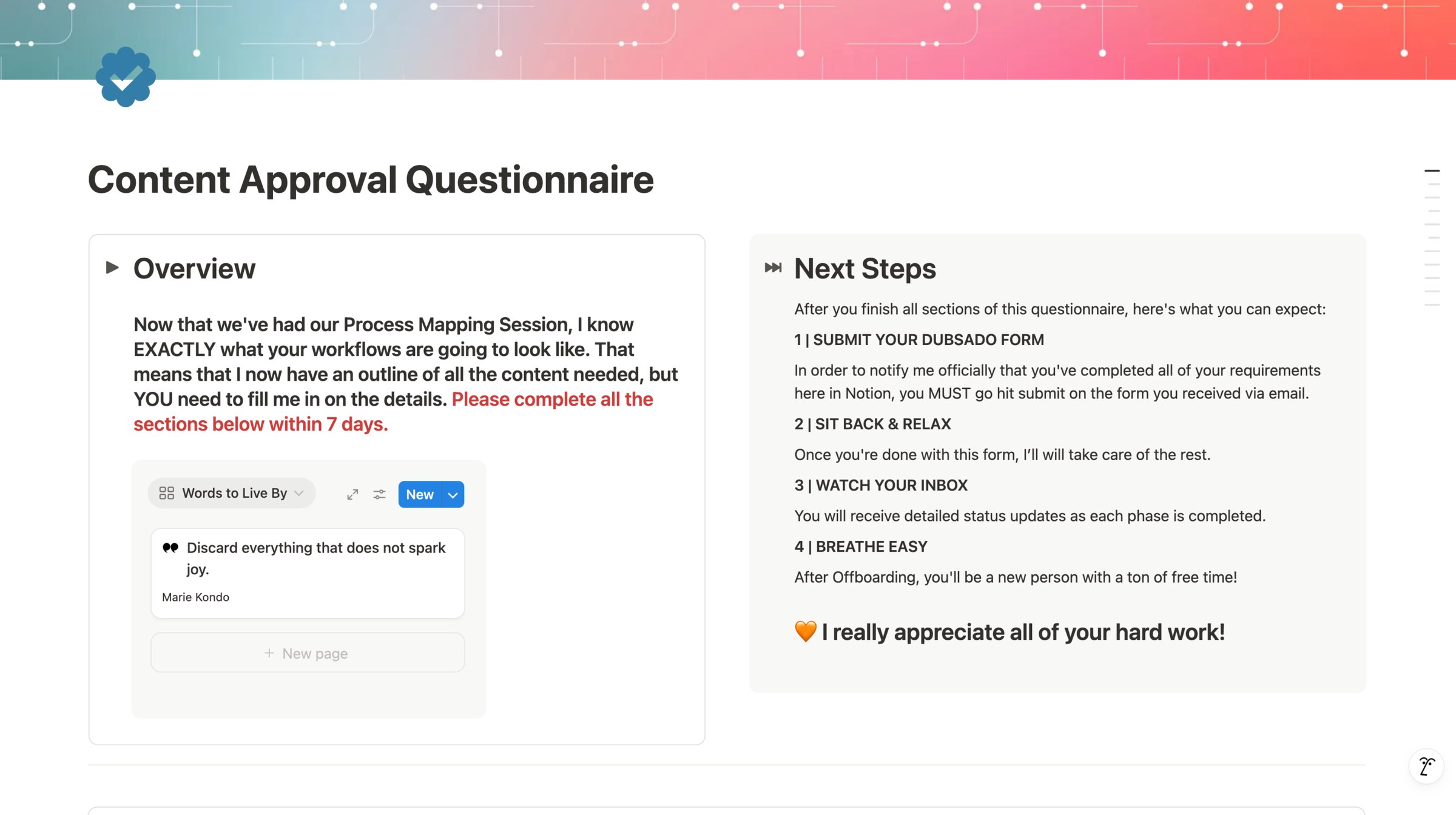
After the session, your client opens the Content Approval Questionnaire and fills in each email, form, and scheduler marked Client to Review. When they finish one, it moves to Ready to Input.
A guide they keep
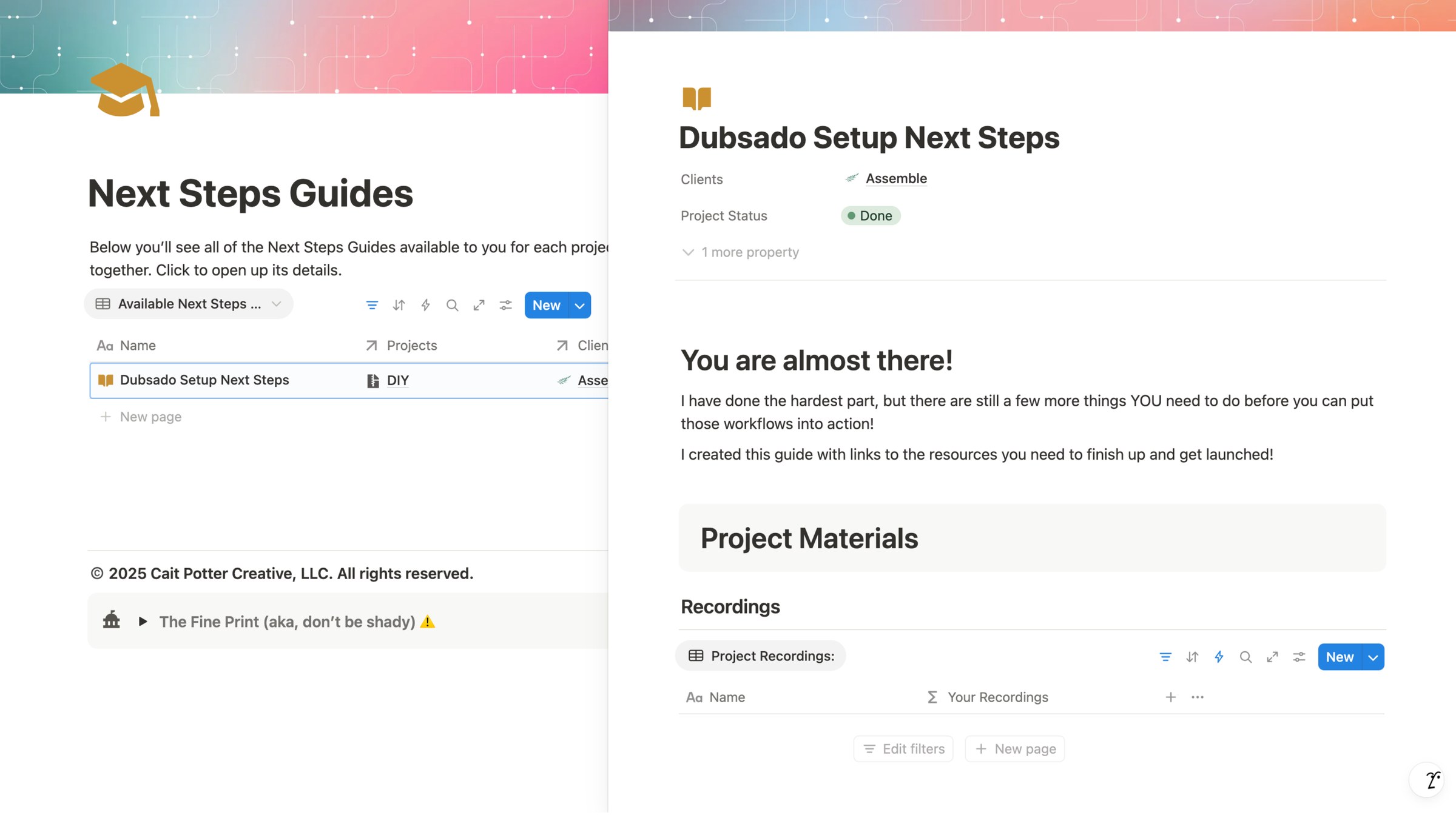
At handoff they get a Next Steps Guide with four weeks of follow-up: account cleanup, practice with test clients, taking workflows live, then reports and settings.
Show clients what the build is worth
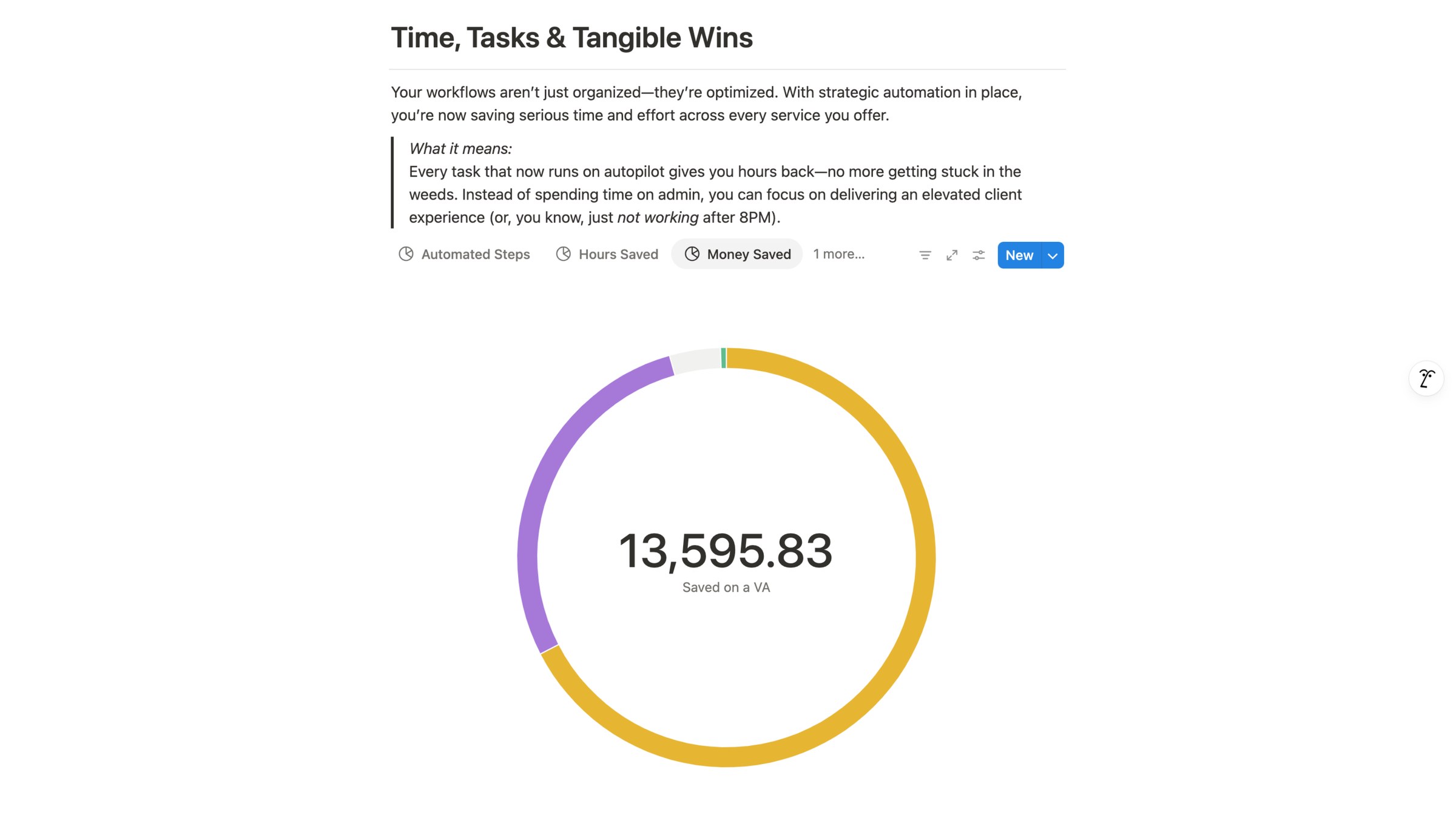
Workflow Wins is a page you share with your client at the end of the project, built from the workflows you mapped.
Steps that run on their own
It counts the automated steps in each service’s workflows and the hours they save.
Valued at a VA’s rate
Those hours are shown as money saved, measured against what an assistant would cost to do the same work.
Every template counted
It also totals the emails, forms, and schedulers you created for them, by type.
Hand a build to your VA
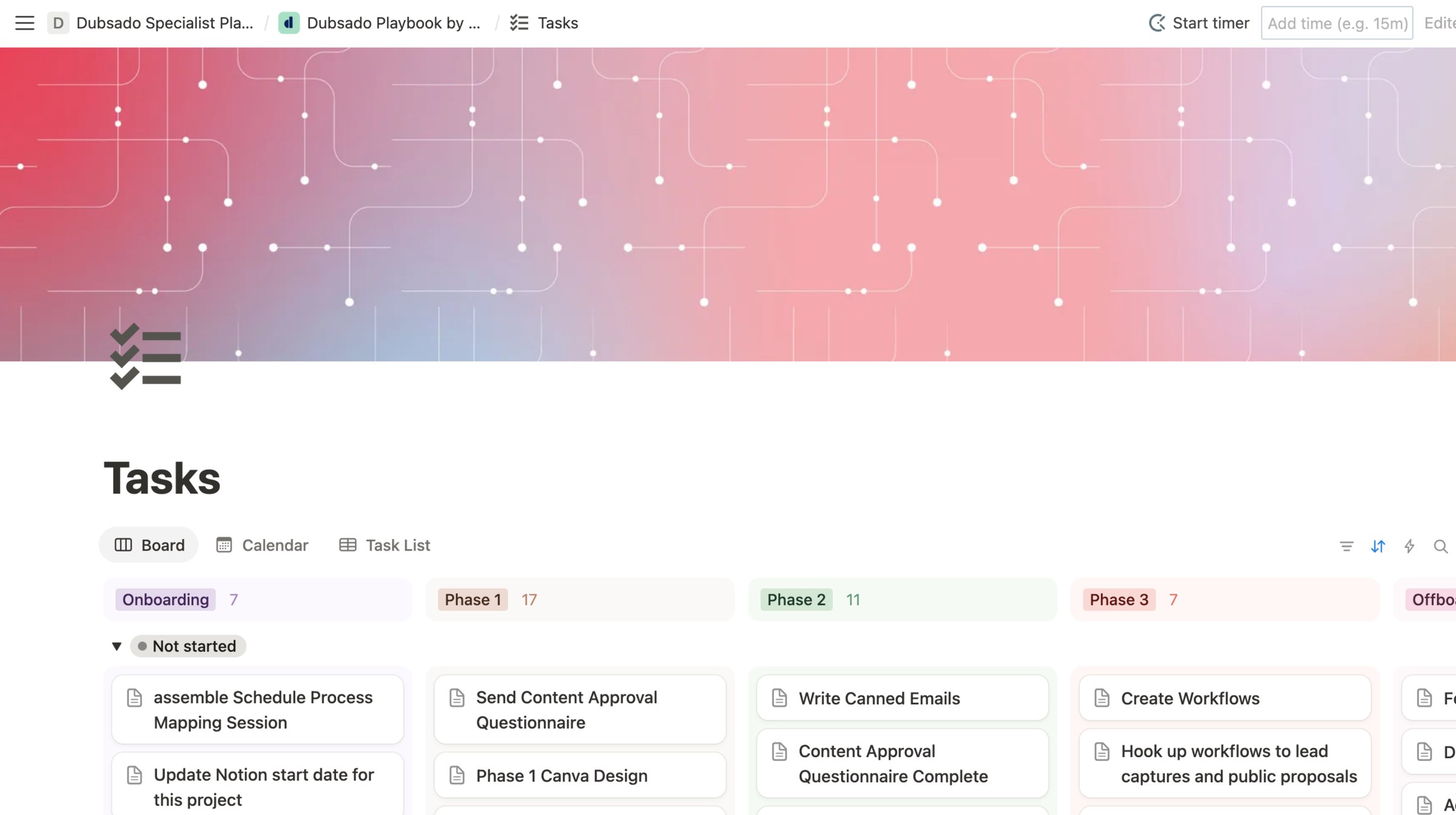
The task board already shows what comes next.
Set the project start date and press Create Tasks, and every task from onboarding through offboarding gets a due date. If the kickoff moves, change the date and the tasks move with it. Your VA opens the board, starts a timer on the next task, and the time adds up on the project.

Price every project and reuse your best work
Your pricing, your quotes, and your templates are in the same workspace as your clients.
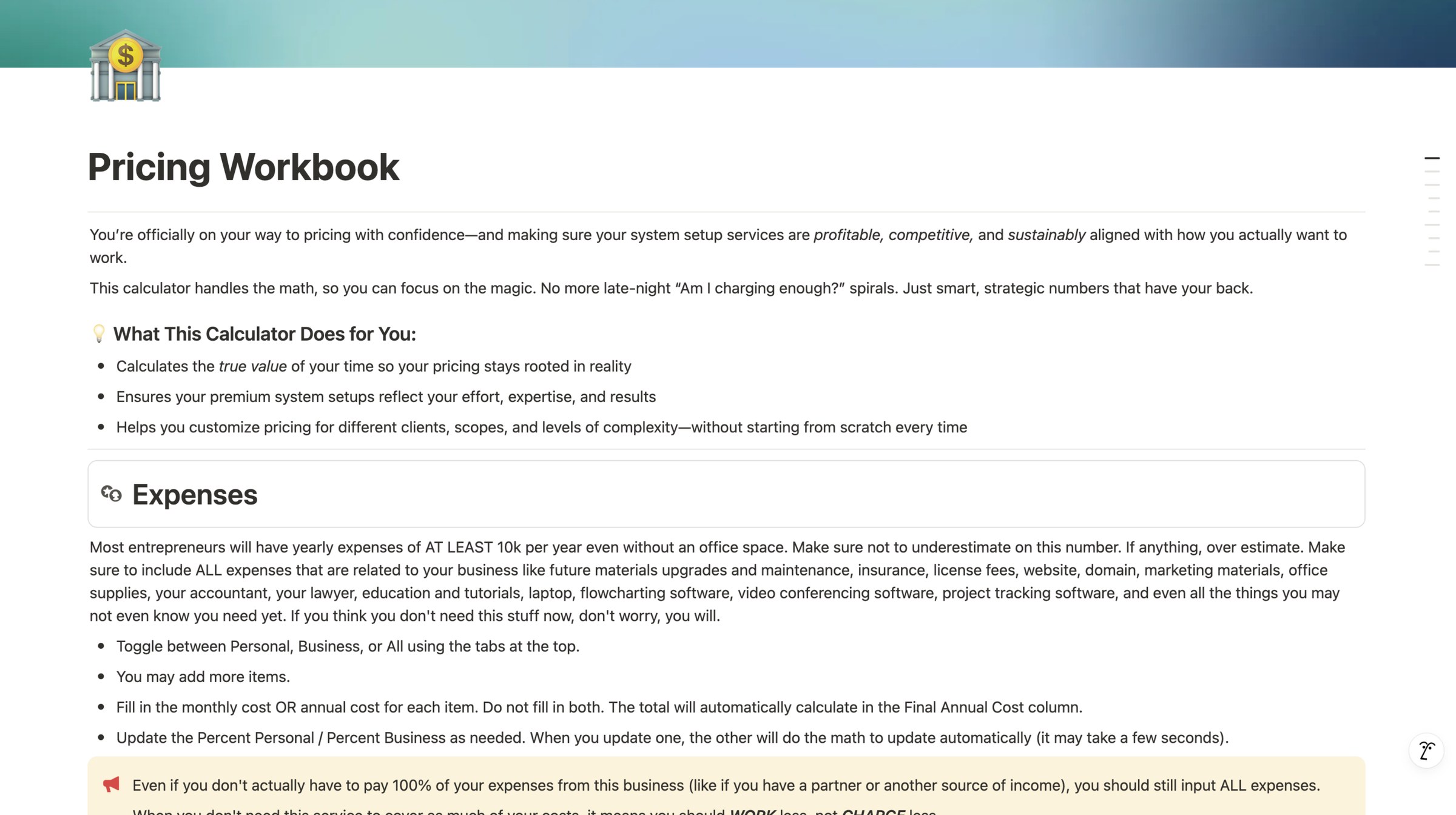
Pricing Workbook
Enter your expenses, taxes, hours, and time off. It works out your income target, your minimum hourly rate, and the minimum investment for each service.
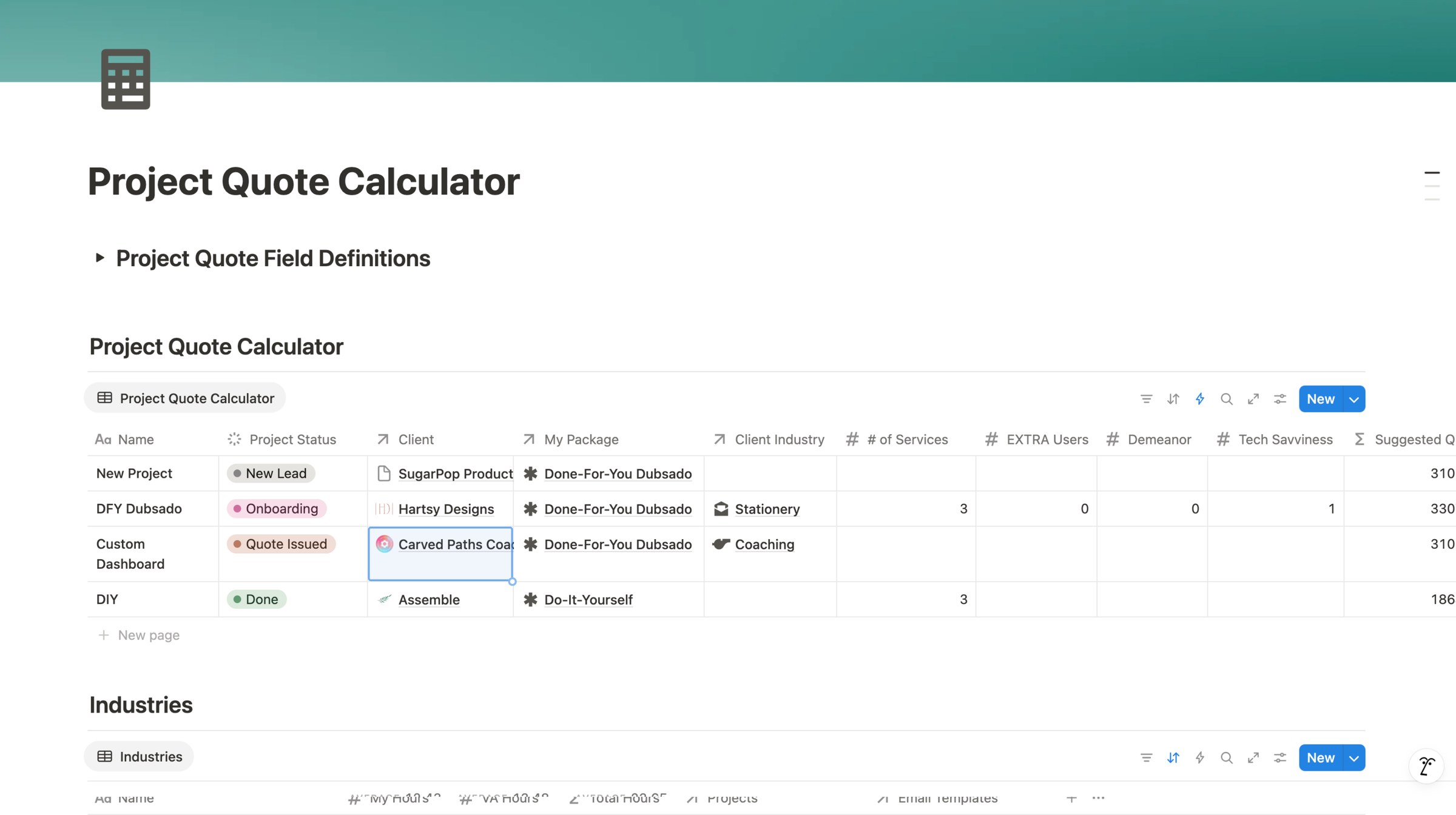
Project Quote Calculator
Each quote accounts for the number of services, extra users, the client’s industry, how demanding they seem, and how comfortable they are with tech.
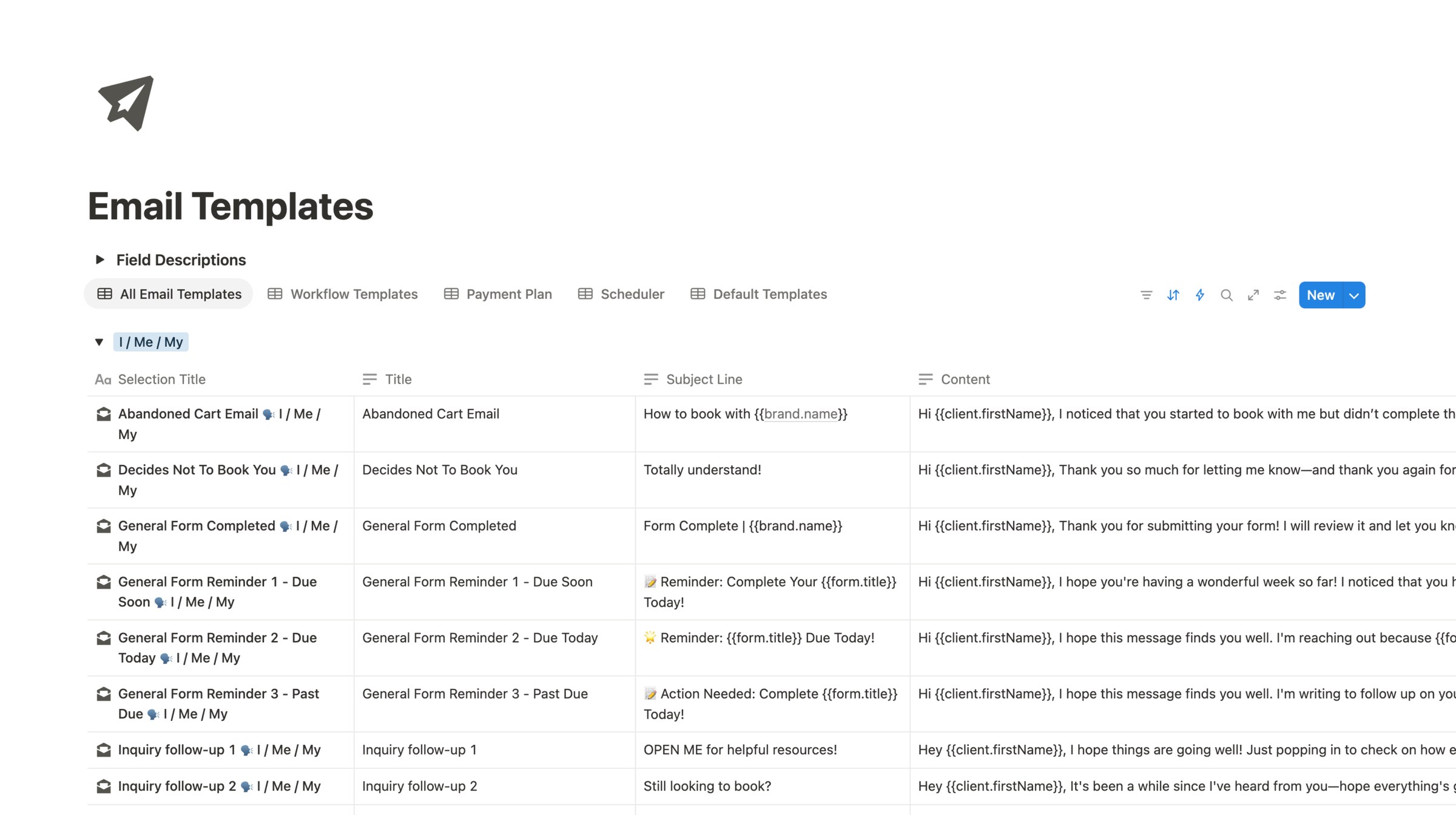
Template Bank
You get 30+ Dubsado email templates, to-do and Canva template libraries, and a Smart Field Library to use on every build.

From first quote to handoff

- 01
Quote
You add the client, quote the project, and set the start date once they book.
- 02
Onboard
The client fills in the Onboarding Questionnaire, and their services and workflows fill in from it.
- 03
Map
You map the workflows before the Process Mapping Session, and the Content Directory lists what the build needs.
- 04
Review
The client fills in the Content Approval Questionnaire with the exact wording they want used.
- 05
Build and hand off
You enter the build in Dubsado task by task, then share the Next Steps Guide and Workflow Wins.
A look around
Swipe or use the arrows to see all 14 screens.

Who this is for
You’re in the right place if you:
- Do done-for-you Dubsado builds and run more than one client at a time
- Want your quotes, client work, and project tasks in one place
- Hand parts of a build to a VA, or want to start
- Already like Notion
It’s not for you if you:
- Love scribbling workflow maps on notebook paper and squinting at them later
- Enjoy texting your client mid-build to ask which photo they wanted in their signature
- Want to skip mapping
- Aren’t building in Dubsado
- Want someone to build your Dubsado system for you
Pick the version for the platform you use
All three use the same mapping method. Choose the platform you actually want to work in.
Buildsado
Airtable
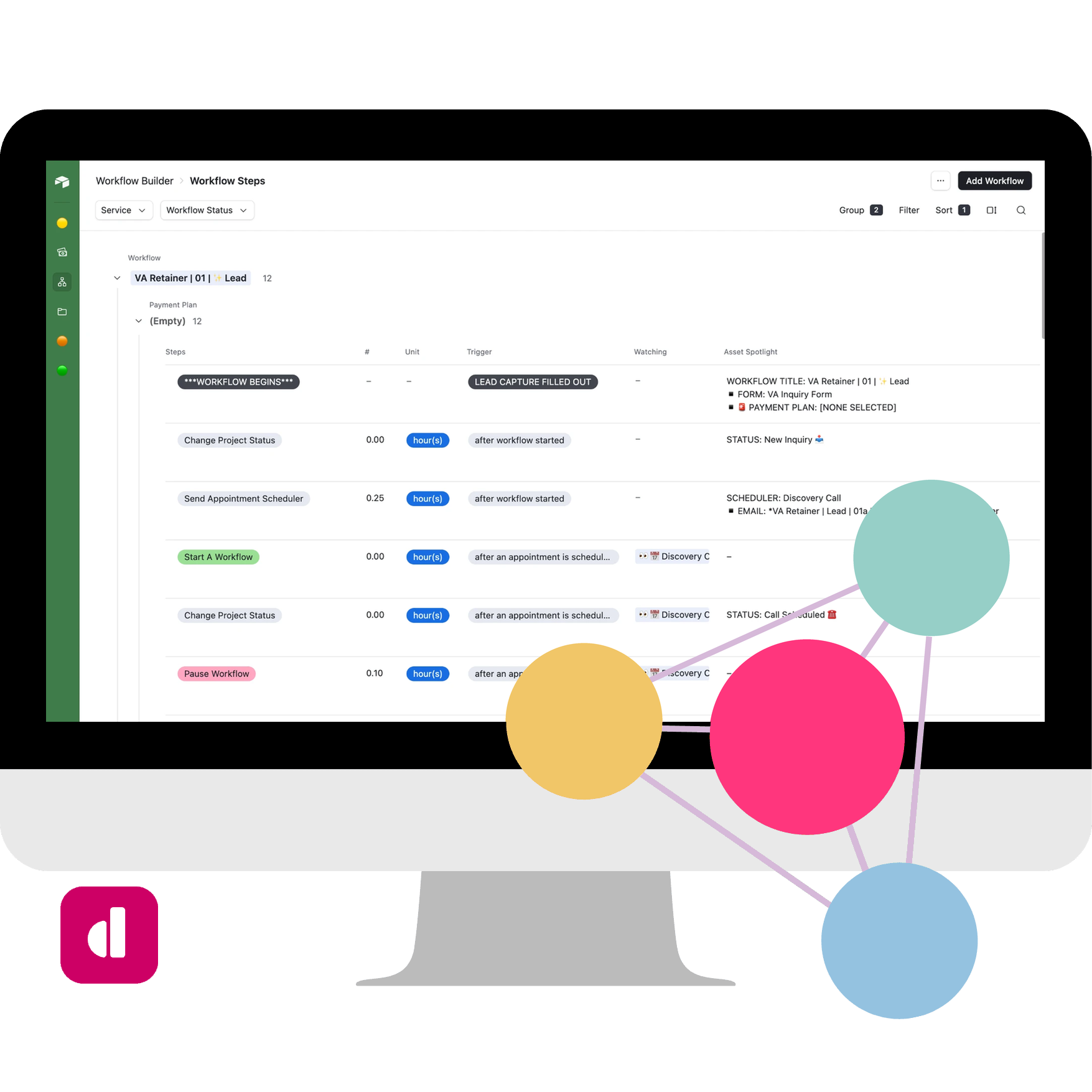
- Client interfaces your client logs in to
- Printable workflow booklet and flowchart
- ROI report for each build
- Needs a paid Airtable plan
You’re here
Notion
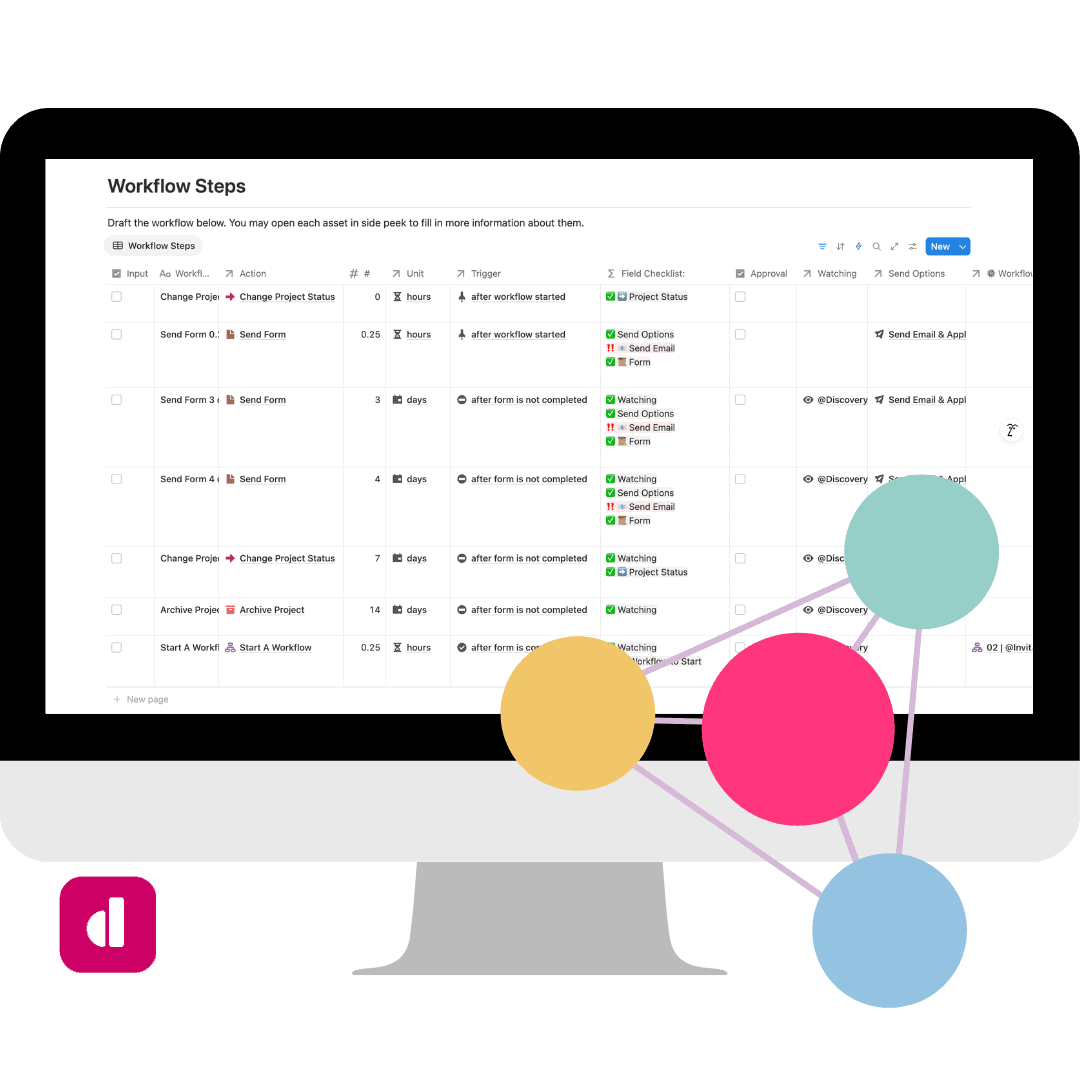
- One Notion workspace for the whole business
- Client hub, pricing workbook, and quote calculator
- Implementation course with video walkthroughs
- Designed for Notion’s free plan
Buildsado
Google Sheets
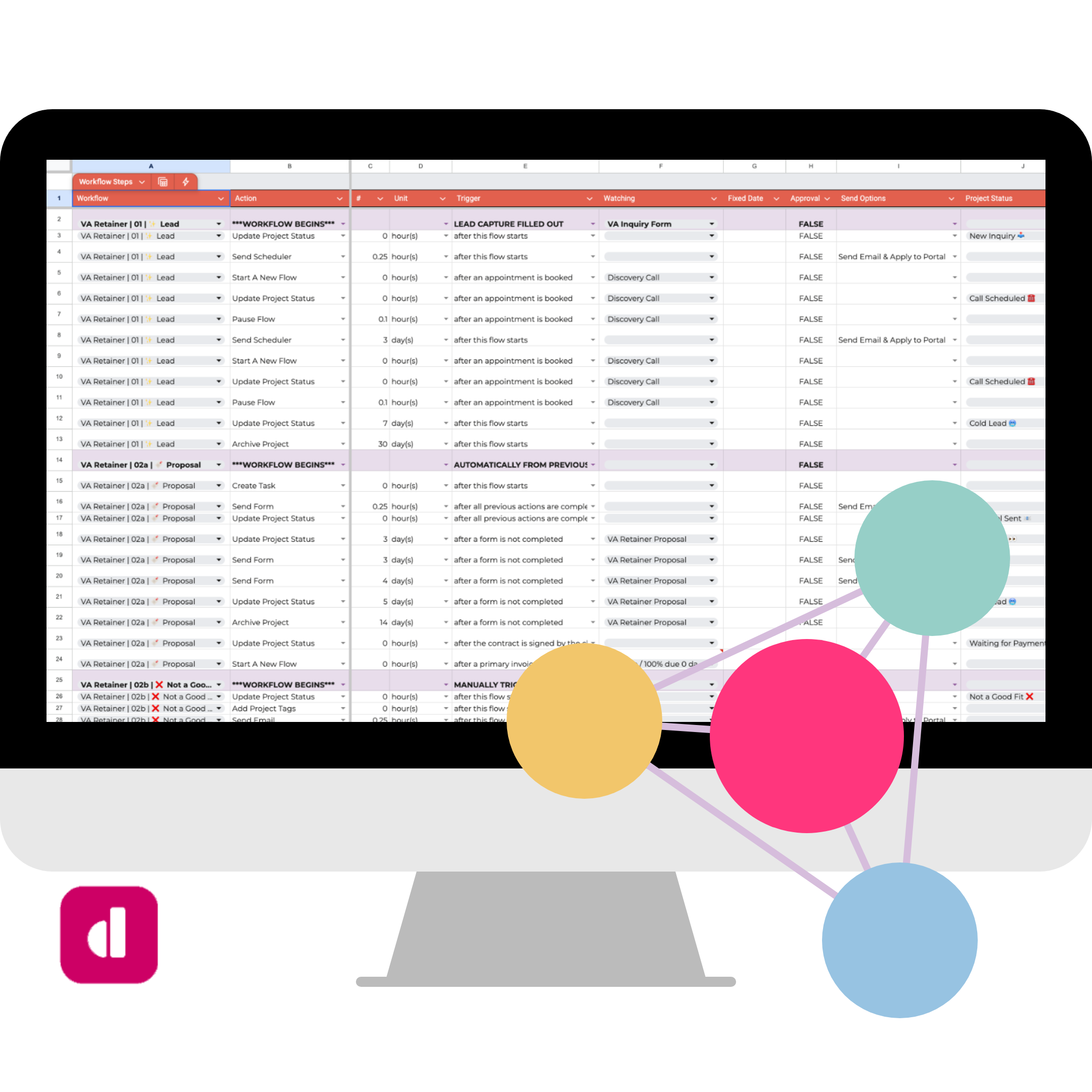
- A client portal that opens in any browser
- Content Directory built from your map
- A Claude skill that fills in the sheet
- Needs only a Google account
What you bring and what you get
Buildsado gives you the structure, and you do the build.
You bring
- A Notion account. The system is designed for the free plan, and Workflow Wins needs a paid plan.
- The build itself: mapping workflows, preparing content, and entering the finished system in Dubsado
Built in
- Step-by-step implementation course with video walkthroughs
- Directions on every page of the workspace
When you need it
- Support resources
- Annual updates and critical bug fix support
What’s included
- Client Hub with a page for every client, project dashboard, private notes, and client feedback form
- Onboarding Questionnaire and Content Approval Questionnaire on every client page
- Workflow builder with payment plans and a flowchart on every workflow page
- Content Directory listing every asset the build needs, with a status on each one
- Task board for every project, from onboarding to offboarding, with due dates and time tracking
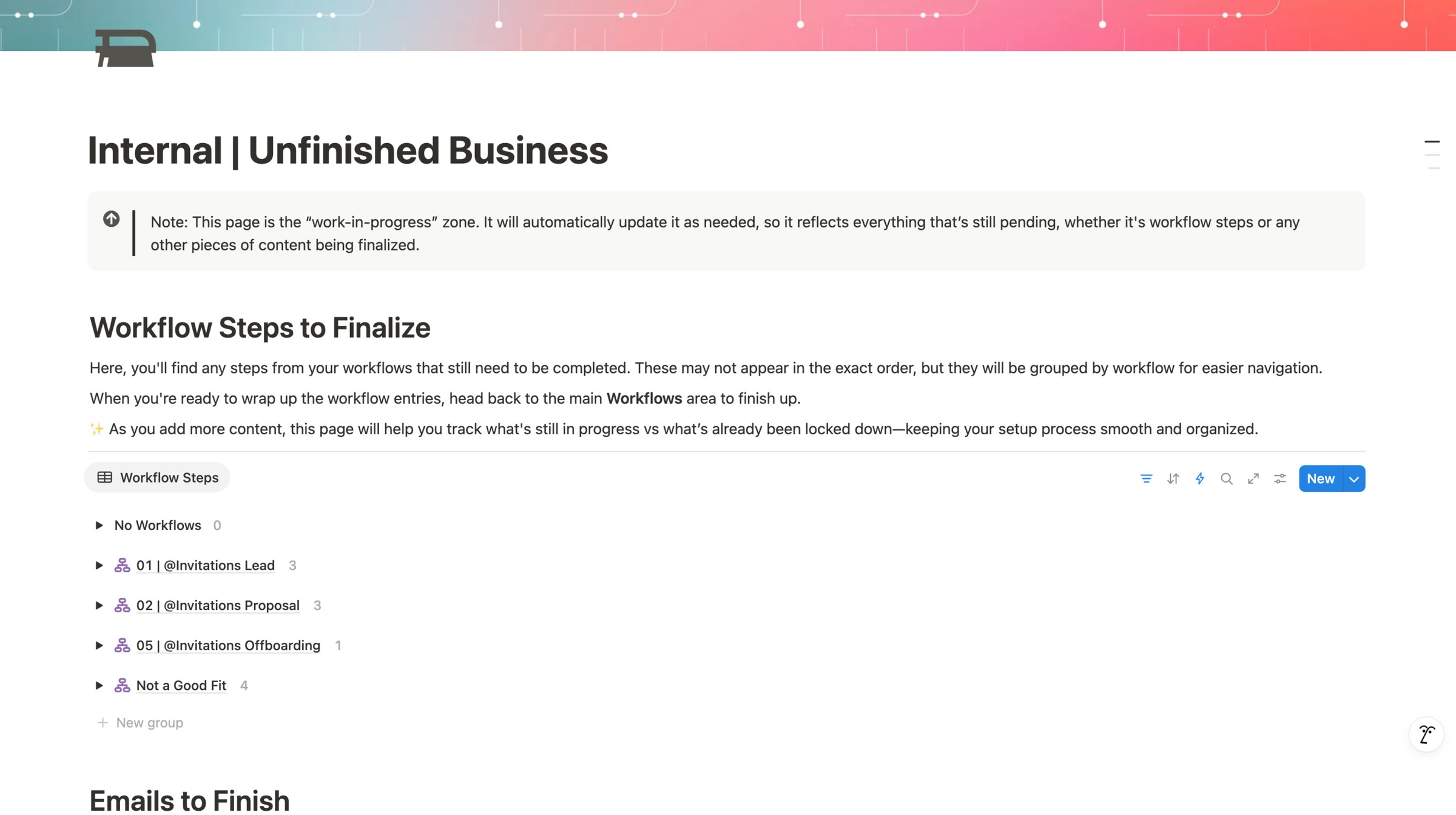
- Unfinished Business page that lists the steps and emails still pending
- Pricing Workbook and Project Quote Calculator
- 30+ Dubsado email templates, plus to-do and Canva template libraries
- Smart Field Library
- Next Steps Guide for every client
- Workflow Wins ROI report (paid Notion plan)
- Claude importer skill that writes your mapped workflows, from Mapsado or your own mapping, straight into your builder
- Step-by-step implementation course with video walkthroughs
- Annual updates and critical bug fix support
Ready to run your next client build?
With Buildsado for Notion, you can:
- Quote, map, and hand off every build from one workspace
- Find any document mid-build
- Hand a build to your VA
- Show a client what their build is worth
This is a digital product with a lifetime license, and all sales are final.
Questions
Do I need the Airtable and Google Sheets versions too?
No. Pick the platform you want to work in. You do not need all three.
Does it work on Notion’s free plan?
Yes, it’s designed for the free plan. The Workflow Wins page needs a paid Notion plan, and future changes Notion makes to its plans could affect other features.
I already own the Google Sheets Workflow Builder or the questionnaire kits. Should I switch?
Switch if you’re tired of copying information from one tool to the next AND you love Notion. Buildsado for Notion connects the workflow map, both questionnaires, the task board, pricing, and the handoff, so your client’s answers and your map are in the same place as the build.
Can I use it for more than one client?
Yes. You add a new client page for every client you build for.
Is there training?
Yes. A step-by-step implementation course with video walkthroughs is included, and every page of the workspace has directions.
Do I get updates?
Annual updates and critical bug fix support are included. Ongoing enhancements are provided at my discretion and are not guaranteed.
Terms of use: platform changes and feature availability
Buildsado is built entirely within Notion, using features available on the platform at the time of development. It is designed to run on Notion’s free plan, and the Workflow Wins page requires a paid Notion plan. It is built for Dubsado as Dubsado works at the time of development.
By purchasing and accessing Buildsado, you acknowledge and accept that:
- You are responsible for maintaining a Notion account that supports the features required to run this system.
- Future changes made by Notion, including but not limited to pricing updates, feature restrictions, or limitations on integrations, may impact how certain elements function, and some features (such as charts, database relations, and automations) may require a paid Notion plan if Notion changes its free plan.
- Buildsado is not guaranteed to be updated with new Dubsado features. When Dubsado adds or changes features, actions, or menus, the system may not include them.
- No partial or full refunds will be issued if platform-level changes made by Notion or Dubsado affect the system’s performance or functionality.
This purchase grants you a lifetime license to the system as it exists at the time of purchase. Ongoing updates and enhancements are provided at the discretion of the creator and are not guaranteed.












Reviews
There are no reviews yet.