





Description

Your client’s whole Dubsado journey, mapped and written in minutes
Mapsado is the Claude skill that maps a client’s whole Dubsado journey and drafts every email, form, scheduler and to-do in their voice.
Hand the skill a client’s process and how they talk, and a few minutes later you are holding their entire Dubsado client journey: all five phases as a chain of connected workflows, the split calls made, and every piece of content drafted the way your client actually talks. Payment plans come back as installments with their reminders already set.
What is Mapsado?
Mapsado gives you two things: a skill for Claude, and the build-along course that teaches you the Trigger Mapping Method itself, the framework I have used on EVERY build for eight years. The skill runs on that same method, so the map it hands you is built the way I would build it, and the course teaches you to check it on sight.
What it maps
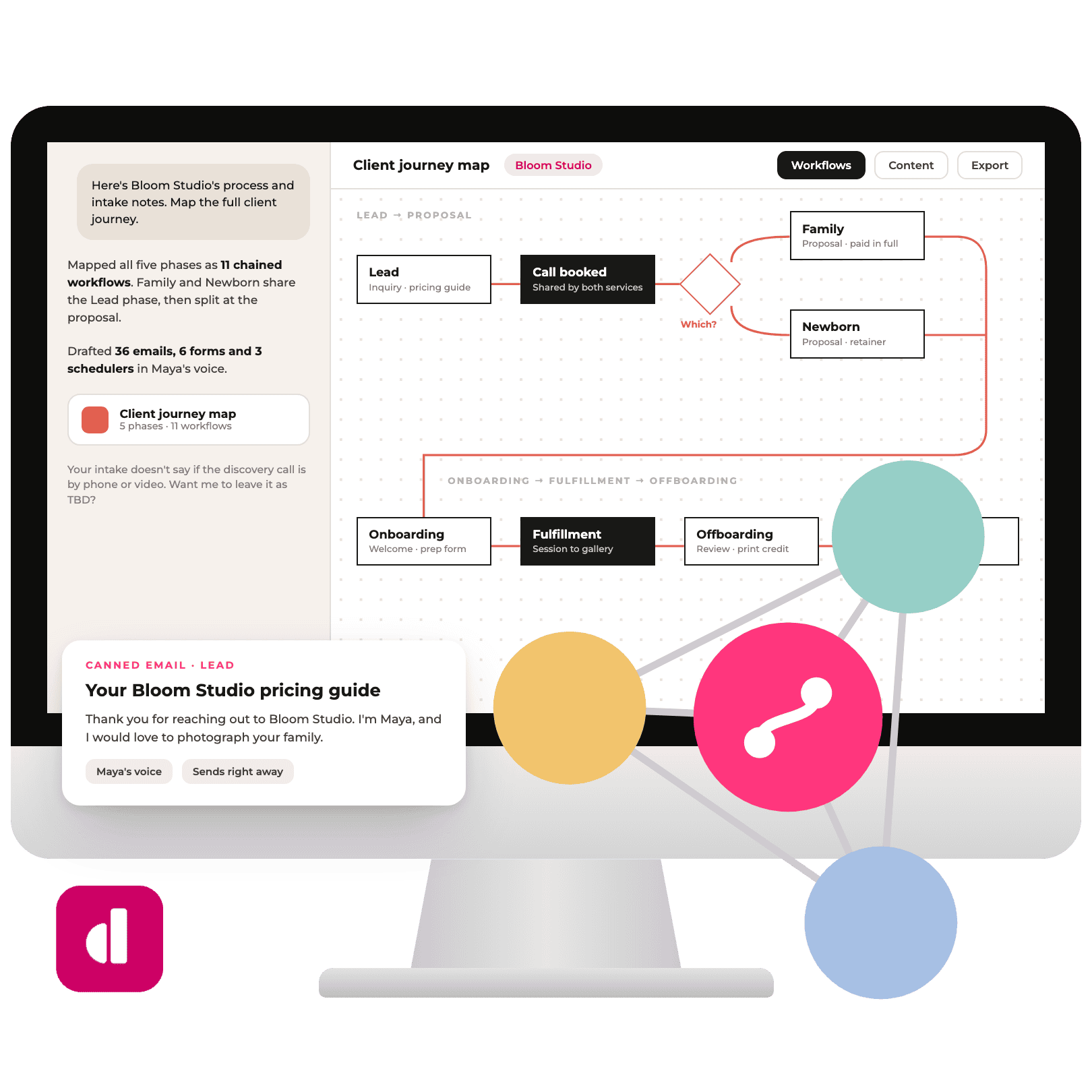
Lead, Proposal, Onboarding, Fulfillment, and Offboarding and Aftercare, as a chain of workflows where the end of one starts the next. It decides how much of the journey your services share and where they split.
What it writes
Every canned email, form, scheduler and to-do, in your client’s voice and named on one formula, plus every payment plan worked out into installments with their own reminders.
What stays with you
You decide what the journey should be and check every call the skill makes. It lists every assumption it made, so you know what to confirm before your client sees the map.
One workflow per phase. When one ends, the next one starts, and each service gets its own track only where it actually needs one.
What you write down by hand for every client
Mapping is the fun part, until you write the same proposal workflow down for every single client.
The strategy changes with every client, but much of what you write down stays the same. By hand, every client means:
- The mapping call, then turning your notes into every workflow step
- The same proposal workflow you run for nearly every client, written out again
- Deciding where each service shares the journey and where it splits
- Every canned email, in the client’s voice
- Every form and the questions on it
- Every scheduler and its reminders
- To-dos clear enough for your client to follow
- Payment plans, with an installment and a reminder for every payment
- Catching the status change or email you forgot before it breaks the build


How Mapsado works
- 01
Tell it about the client
Give the skill your client’s process, their services and how they talk. The intake questions from the course tell you what to ask.
- 02
Get the map
In minutes you have the whole journey as chained workflows, the split calls made, every piece of content drafted and every payment plan worked out.
- 03
Check it
You read the map the way the course taught you, so a dead end, a loose end or a bad split jumps out. Anything your intake left out is already flagged.
- 04
Import it
If you own Buildsado, its importer writes the finished map into Buildsado: Airtable, Notion or Google Sheets, so nothing gets retyped.
- 05
Build it
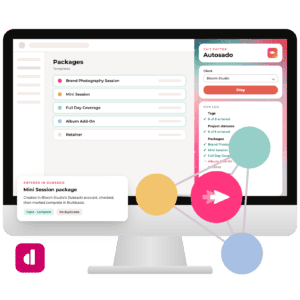
Get copy approved in Buildsado, then let Autosado enter the whole build into your client’s Dubsado account.
What a Mapsado map looks like
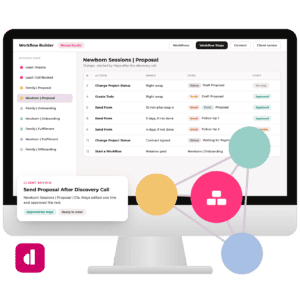
Here’s part of a sample map Mapsado made for Bloom Studio, a made-up family and newborn photographer with two services.
| # | Action | When | What it uses |
|---|---|---|---|
| 1 | New Workflow | Lead capture filled out | FormBloom Studio Inquiry |
| 2 | Change Project Status | 0 hours after workflow started | StatusCall Requested |
| 3 | Send Appointment Scheduler | 0 hours after workflow started | EmailSend Pricing Guide & Discovery Call Scheduler |
| 4 | Start a Workflow | After an appointment is scheduled | All Sessions | Lead | Discovery Call Booked |
| 5 | Pause Workflow | After an appointment is scheduled | Stops the reminder in step 6 once the lead books |
| 6 | Send Appointment Scheduler | 3 days after workflow started | EmailDiscovery Call Scheduler Reminder |
| 7 | Start a Workflow | After an appointment is scheduled (from the reminder) | All Sessions | Lead | Discovery Call Booked |
| 8 | Pause Workflow | After an appointment is scheduled (from the reminder) | |
| 9 | Change Project Status | 7 days after workflow started | StatusCold Lead |
| 10 | Archive Project | 7 days after workflow started | Only reached when no call was booked |
Hi {{client.firstName}},
Thank you for reaching out to Bloom Studio. I’m Maya, and I would love to photograph your family.
My pricing guide shows what’s included in a Family Session and a Newborn Session, and what each one costs:
[Pricing Guide]
The next step is a free 15-minute call. We’ll talk about the photos you’re picturing, and I’ll answer your questions. Pick a time that works for you here:
{{scheduler | schedulerLink}}
xo, Maya
- Discovery call format. The intake doesn’t say phone or video.
- Family unpaid invoices. Nothing automatically chases a client who signs and doesn’t pay.
- Print credit. The amount, expiration and redemption steps aren’t in the intake.
- Newborn availability. The intake doesn’t say whether Maya books out by due month.
How much time Mapsado gives back
Mapping a client takes me a good 2 hours plus the live call, then another 2 hours or more to write the content for every email. My Clockify entries from four builds in 2024 put pre-mapping and process mapping alone at 5.2 to 9.8 hours a client.
Mapping by hand
With Mapsado
4 to 8 hours a client
That’s the mapping and drafting Mapsado does in minutes.
16 to 32 hours a month
At four clients a month.
$347 is about 8 hours at $45
If your time is worth $45 an hour or more, one client’s mapping costs more than Mapsado does.
The course that teaches you to check the map
Having Claude map a client is no use if you can’t tell whether the map is good. The course is how you tell.
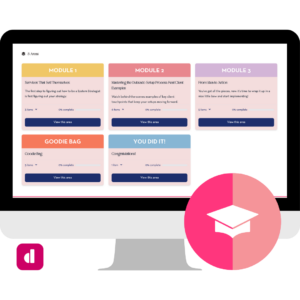
It teaches the Trigger Mapping Method in three stages, Map it, Test it and Ship it, on a real client of yours while you learn.
Build-along sessions
Every session ends with work on your own client. You finish the course holding a finished map, ready to build.
Watch Me demos
I map a demo client step by step, so you can check your work against mine.
The split, trained with reps
The hardest call in a multi-service build is where the services split. The course trains it until you can make it cold.
The toolkit
The intake question bank, the Pattern Library, a test you run on every step to prove it fires the next one, and the Naming Card. I open these on every build.
Why use Mapsado instead of a plain Claude chat
You can ask Claude to write you a Dubsado workflow. Here’s what changes with Mapsado:
It maps the way I map
The skill runs on the method I use on every build, so it makes the calls I would make, including where services split.
It maps the whole journey
Every phase from first contact to aftercare, chained so the end of one workflow starts the next.
It writes in your client’s voice
The content sounds like your client, ready for them to approve.
It tells you what’s missing
When the intake is thin, it still maps the whole journey and lists the assumptions it made, so you know exactly what to confirm.
Where Mapsado fits
Mapsado is the first step of a Dubsado build.
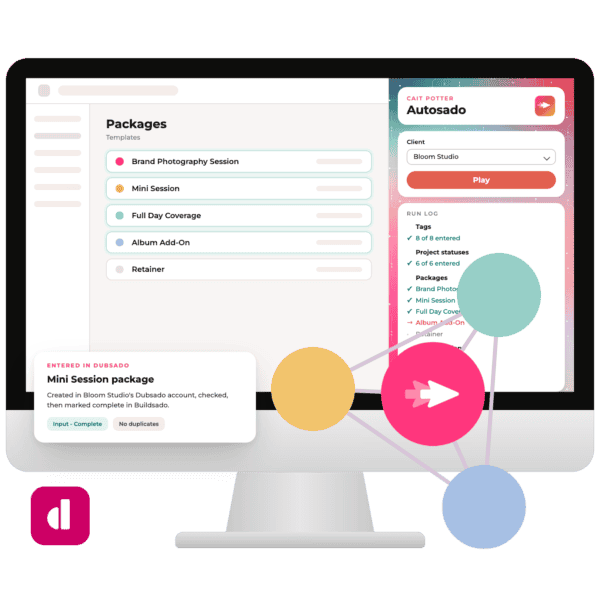
 Mapsado
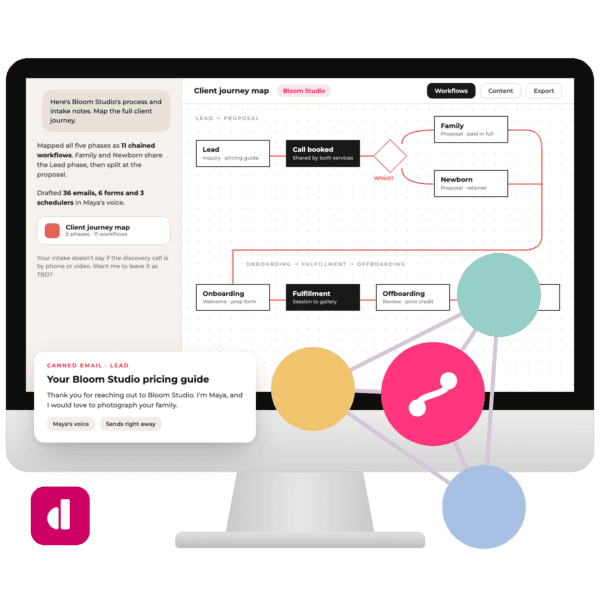
 Buildsado
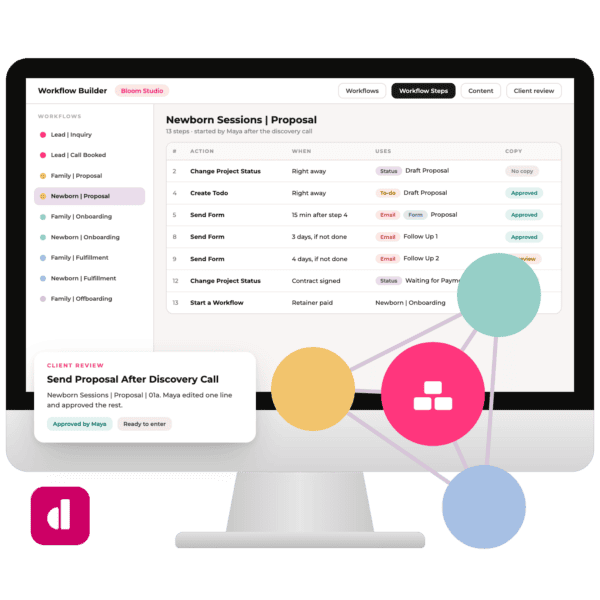
 Autosado
Mapsado designs it
The whole client journey, with every piece of content drafted.
Buildsado records it
The map goes into your workflow builder, where you prep each item, your client approves the copy, and you track what’s done. Without Mapsado, it’s where you’d work out the journey yourself.
Autosado enters it
Autosado enters the build into your client’s Dubsado account and tests every workflow.

Who Mapsado is for
It’s for you if you:
- Do done-for-you Dubsado setups for clients
- Use Claude in your setups but don’t love what it hands back yet
- Own Buildsado, or are about to
- Love the strategy and hate writing the same workflow down for every client
It’s not for you if you:
- Like doing it all by hand
- Never make a mistake
- Don’t want your brain coupled up with mine
- Like working alone
Questions
What do I need to use it?
A paid Claude account that supports skills. You get Mapsado as a skill file and install it in your own Claude account.
Do I need Buildsado?
No, BUT YOU’LL WANT IT. The map works on its own, and you can build from it by hand. Buildsado is where you plan and track the build. Its importer writes your Mapsado map into Buildsado (Airtable, Notion or Google Sheets), so nothing gets retyped. Your client reviews and approves every email and form there, and you can see what’s built and what’s left. It’s also what Autosado reads from, so if you want Autosado to enter the build into Dubsado for you, you need Buildsado.
Do I have to finish the course before I use the skill?
No. Use the skill from day one. The course is what makes you fast at checking what it hands back.
What if my intake is thin?
You still get the whole journey, every phase from first contact, built from my standard patterns. Mapsado lists every assumption it made and what to confirm with your client. If it doesn’t know how your client talks, it still drafts everything and marks the voice as unconfirmed.
How many clients can I use it for?
As many as you want. You pay once, with no credits and no per-map fees.
Does it build anything in Dubsado?
No. Mapsado gives you the map and the drafted content. Autosado is the product that enters a build into Dubsado.
Terms of use
Personal use only. This is a digital product, and all sales are final.
Get Mapsado
- The Mapsado skill for Claude
- The Trigger Mapping Method course
- The toolkit
- Unlimited clients, pay once
This is a digital product, and all sales are final.













Reviews
There are no reviews yet.