
















Updated October 2026: new Dubsado 3.0 steps and screenshot for generating your Zapier API key. The Zapier screenshots are from an older version of Zapier.
If you’d like to add new Dubsado leads OR new Dubsado booked clients into Flodesk, then you’ve come to the right place!
AND THIS ONE IS EASY! So prepare to feel super productive after doing very little actual work to set this up.
Step 1
Create your Zapier account. The free account is enough for this action!
Step 2
In another tab, open Dubsado.
- Go to Settings, then Connections.
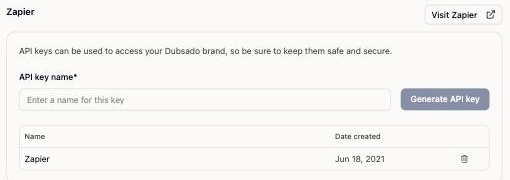
- Scroll to the Zapier section.
- Give the key a name you’ll recognize, like “Zapier”, and click Generate API key.
- Copy the key and keep it somewhere safe. Anyone with it can access your Dubsado account.
Step 3
Head back to the Zapier tab.
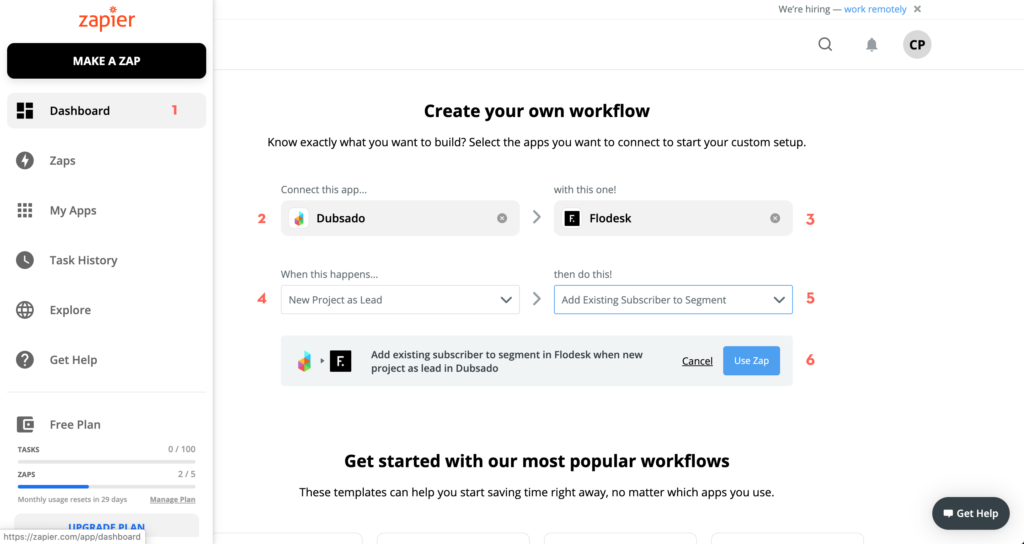
Click into your Dashboard (which you can see with the 1 next to it in the image below) and begin filling in the information as shown below!
If you’d rather have them added to a segment when they become a JOB (rather than a lead) then simply select “New Project as Job” instead of “New Project as Lead”
Step 4
On the next page, you’ll simply follow Zapier’s prompts. You can’t mess this up. Just click from dropdowns and click the big blue buttons when they pop up!
The big thing here is that you’re choosing which segment you want to add them to in Flodesk. Just make sure that whichever segment you add them to, the emails that would kickoff via Flodesk workflow make sense for them!
And done!
Your new Dubsado leads will now automatically ZAP over into the Flodesk.
Bonus Tip!
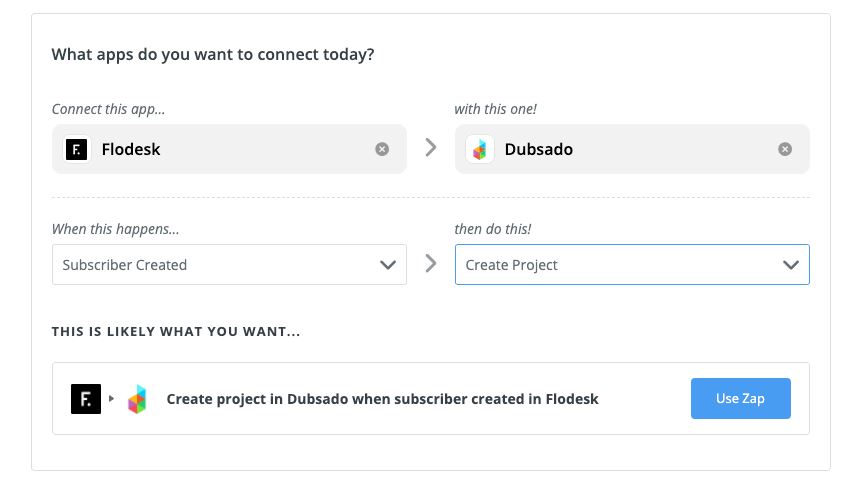
If you want to Zap a new Flodesk subscriber into Dubsado as a project:
HAPPY EMAILING!
Not sure how this fits with the rest of your workflows? A professional Dubsado setup maps your whole process first, then builds it.
Ongoing COO-level support to maintain and refine your systems as the business grows so operations stay steady and decisions stop piling up on your plate.

Support
Custom Dubsado, Airtable, and Moxie systems designed for capacity, not survival. Built around how your business actually runs so growth does not create more chaos.

Systems
Map, audit, or optimize the system that is slowing your business down. Workflows, offers, tech stacks, or the process that keeps living in your head instead of your business.

Strategy
services
These are.
Busy isn't a business plan.


In this power-packed session, I show you how to connect Airtable + your CRM for smarter tracking, simplified workflows, and insights that actually move your business forward.
From Guesswork to Growth with Airtable


A step-by-step guide to setting up your new Dubsado account, area by area, so your trial ends with a system you can actually use.
21 Ways to Max Out Your Dubsado Free Trial

Hot Seat, Hot Takes, Hot Damn.

Free masterclasses that show you exactly how scalable businesses are built.




© 0000 Cait Potter Creative, LLC
Privacy Statement and Terms & Conditions


